Parking mode
Dash cam parking mode explained
How dash cam parking mode works: motion and impact detection, time-lapse, what powers the camera while parked, protecting your car battery and what to expect.
Most dash cams are made to record your journeys: they start when you switch on the engine and stop when you switch off. Parking mode keeps the camera watching after you have parked, so a car park scrape, a hit and run or a break-in has a chance of being recorded. It sounds simple, but it depends more on power than on the camera itself. This guide explains how it works and what you need.
The three kinds of parking mode
Dash cam makers use different names, but parking modes fall into three groups.
Impact detection
The camera's G-sensor (an accelerometer) feels the car being knocked and starts recording, or wakes up and saves a clip. This uses very little power while nothing happens. The weakness is that the camera may only catch what happens after the knock, unless it keeps a short buffer from just before.
Motion detection
The camera watches the picture and records when something moves in front of the lens. It catches people approaching the car, but in a busy street or car park it can record almost constantly, which fills the card and uses more power.
Time-lapse
The camera records continuously at a low frame rate, for example one frame per second, and plays it back fast. You get a record of the whole time the car was parked in a small file, but individual moments are less detailed.
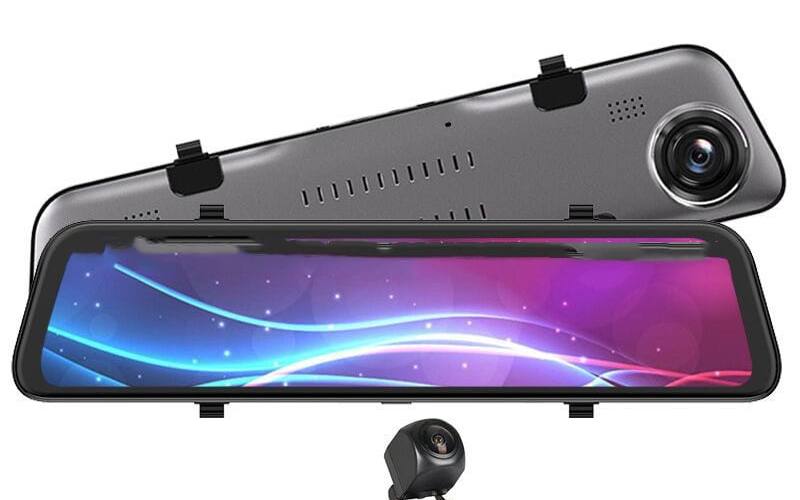
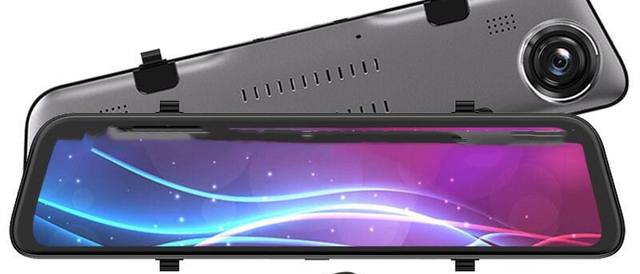
Many cameras combine these, for example time-lapse with a normal speed clip saved when the G-sensor detects an impact. Check what the camera you buy offers. Our 12-inch mirror dash cam lists collision sensing, time-lapse recording and parking monitoring, and our 10.26-inch dash cam screen lists parking surveillance, according to the suppliers.
Power is the real question
A parking mode is only as good as the power behind it. There are three ways to keep a dash cam running while the car is parked.
The 12V socket
In most cars the 12V socket switches off with the ignition, so the camera stops when you park. In some cars it stays live. Then the camera can keep running, but a plain 12V lead has no way to stop it before the car battery runs low. To find out what your socket does, plug in a charger with an indicator light, lock the car and see whether the light stays on.
A hardwire kit
A hardwire kit connects the camera to the fuse box with a permanent live feed, a switched feed and an earth. The switched feed tells the camera when the ignition is off, so it changes to parking mode by itself. Good kits made for dash cams have a low-voltage cut-off: when the battery voltage drops to a set level, the kit cuts power to the camera so you can still start the car. Our guide Hardwiring a dash cam or using the 12V socket explains the fitting.
A separate battery pack
Some drivers use a dedicated dash cam battery pack that charges while driving and powers the camera while parked, which keeps the car battery out of it. It is another box to fit and another cost.
What about the camera's own battery?
Small dash cams often have a tiny battery or a supercapacitor. Our compact WiFi dash cam has a 150 mAh battery, according to the supplier. A battery that size is there to save the last file when power is cut, not to run the camera for hours.
Protecting your car battery
A car battery is made to start the engine, not to run accessories for days. A few points help:
- Set the cut-off sensibly. A higher cut-off voltage stops the camera earlier and leaves more charge for starting.
- Think about how you use the car. Short trips and long periods parked leave less charge to spare. If the car sits for a week, parking mode may not be worth it.
- Older batteries and cold weather both reduce what is available. If the car is slow to start, turn parking mode off.
- Limit the hours. Some cameras and kits let you set a timer so parking mode stops after a number of hours.
Getting useful parking footage
- Point the camera sensibly. A front camera only sees what is in front of the car. A front and rear system or a mirror dash cam with its rear camera covers both ends, which matters in car parks where most knocks happen at the corners.
- Set the G-sensor sensitivity. Too high and every slammed door nearby saves a clip. Too low and a gentle scrape is missed.
- Expect night limits. In a dark car park, details such as number plates may be hard to read.
- Check the card. Parking mode writes a lot. Format the card in the camera regularly and replace it if you see errors.
Privacy while parked
A camera recording while you are away records passers-by and other cars. That is not illegal, but be thoughtful. Use footage for an insurance claim or a police report rather than posting people online. If the car is used for work, the Information Commissioner's Office treats cameras used for work purposes differently from domestic use, so check its guidance.
A typical setup
A common arrangement looks like this: the camera is hardwired with a kit that has a low-voltage cut-off, the switched feed puts the camera into parking mode when you turn the engine off, the camera saves a short clip when its G-sensor detects a knock, and it records normally again as soon as you start the car. You check the camera or its app when you return, and copy any saved clip to your phone or computer before loop recording overwrites it.
Do you need parking mode?
Parking mode is worth it if you park on the street or in busy car parks, your car sits in one place for a working day, and you are happy to hardwire the camera or pay a fitter to do it. If you mainly want a record of your journeys, a dash cam on the 12V socket does that job without any wiring.
For the bigger picture on what footage can do after an incident, read Does dash cam footage help with insurance claims?, and for the mounting rules, Are dash cams legal in the UK?.
Frequently asked questions
Does parking mode work from the 12V socket?
Only if your car's 12V socket stays live with the ignition off, and even then without any protection for your battery. In most cars the socket switches off, so parking mode needs a hardwire kit with a permanent live feed and a low-voltage cut-off.
Will parking mode flatten my car battery?
It can if nothing stops it. A hardwire kit with a low-voltage cut-off switches the camera off before the battery voltage drops too far. Short trips, an older battery and cold weather all leave less charge to spare.
How long can a dash cam record while parked?
It depends on the camera's power draw, the parking mode it uses, your battery and the cut-off setting. Motion or impact triggered modes use the card and the battery more slowly than continuous recording.
Is it legal to leave a dash cam recording in a parked car?
Yes, but think about privacy. The camera records people and cars passing by. Do not post footage of other people online without good reason, and if the car is used for work, check the ICO's guidance on cameras used for work purposes.